

If you’re active on social networks, you may have noticed prompts offering users to add ‘alt text’ to their images. Alt text is short for alternative text – a written description of what can be seen in an image. Most users probably just want to share their snapshots or the latest funny meme and be done with it within seconds, but spending a bit more time on writing and adding the accompanying alt text is a very good idea.
Webpages don’t always load properly; there may be a browser issue or a network glitch that may prevent people from seeing images. Alt text provides convenient substitution, in that it gives users some idea of what’s depicted. Many websites and online platforms already add automatically generated alt text using image recognition and artificial intelligence (AI) for reasons of better accessibility.
Speaking of accessibility, alt text is of tremendous help to visually impaired and blind people: a screen reader can read alt text out loud, allowing them access to information they otherwise wouldn’t have had.
Just think about it: whenever you post a selfie or a holiday photo, instead of this…
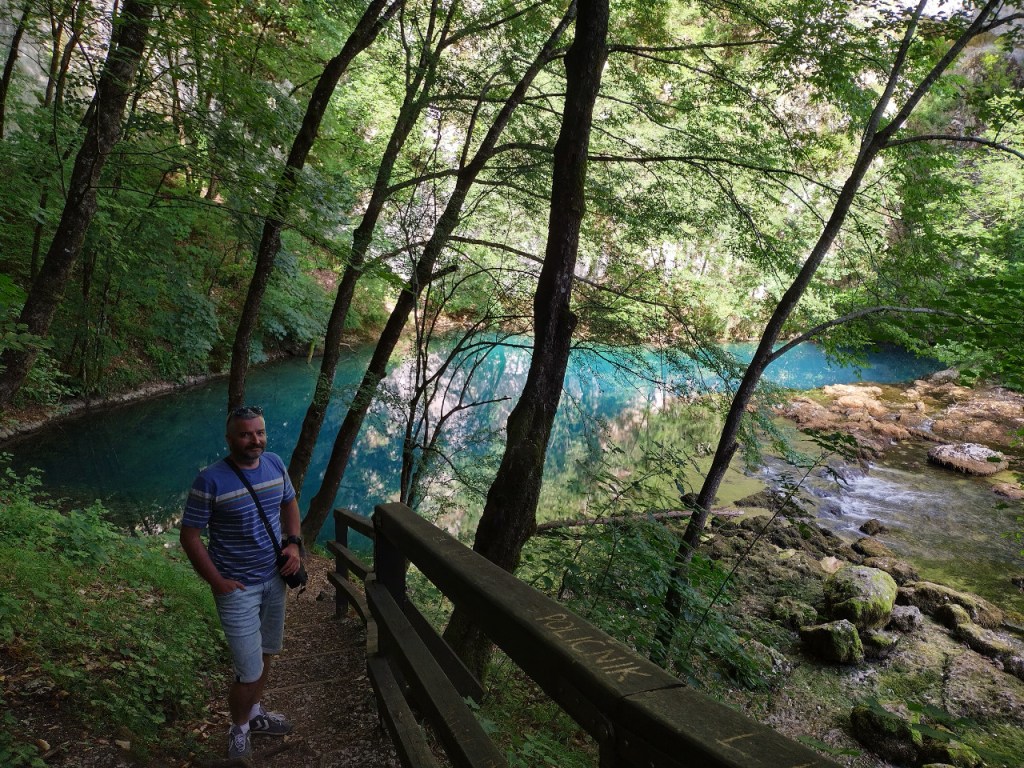
… quite a few people will see something like this:
Or actually, this:
Not adding alt text can thus come off as insensitive and ableist, and you surely wouldn’t want that. But what has all that got to do with language learning?
Students are often reluctant when it comes to doing writing assignments. They may not have enough time for them, or the coursework topics don’t appeal to them, or they don’t think they are particularly talented at writing… In that context, alt text can be used as a simple yet effective writing practice, eliciting well articulated sentences in one’s target language, based on visual prompts.
I’ll name just a few reasons why language learners in particular should adopt the habit of writing alt text:
- alt text is meant to be short and concise, which makes it manageable and not as time consuming;
- it develops reflection and critical thinking, demanding of learners to distinguish between the relevant and the irrelevant, as well as the subjective and the objective;
- it encourages constant revision and recycling of a wide range of vocabulary items;
- it can be a useful tool for practising various grammar points (e.g. eliciting the use of Present Continuous for describing actions / activities, or the use of modal verbs in hypothesising / expressing probability etc.);
- it can tie in more seamlessly with the students’ personal, everyday life;
- it fosters values of civic solidarity with vulnerable groups of people (in this case, the visually impaired).
Alt text can be used as reading practice, as well, offering models of good descriptive language that students will find useful – or of bad models that can be used to improve on.
How to go about writing alt text? The obvious thing to do is to simply describe what’s in an image. Using my holiday photo from above as an illustration, we could write something like this:
A man standing next to a small lake in a forest.
If you’ve done very little writing, then this might be a good start. However, try to put yourself in a blind person’s shoes. Think of all the things a person with average eyesight would be able to see or infer from your snapshot. You need to find a way to encapsulate that using words: a well written alt text will allow everyone to ‘see’ what it was you wanted to share. It’s more than a simple caption.
Think of alt text as a photo taken not with a camera, but with a pen. Include as much information as possible within a small amount of space, but focus on what’s actually relevant. Let’s try again with that snapshot of mine. This sounds like a better, far more descriptive alt text:
A forty-something man wearing a blue T-shirt and pale blue shorts is standing by a small woodland pond surrounded by thick, green undergrowth, bushes and spindly trees. The turquoise water of the pond slowly flows into a stream to the right. In the background, a hint of steep karst rocks.
Your alt text doesn’t have to be a literary masterpiece – my example certainly wasn’t. All it has to do is to provide enough detail for others to form a mental image of what’s in your snapshot.
Here’s a good example – alt text of a random landscape photography tweet:
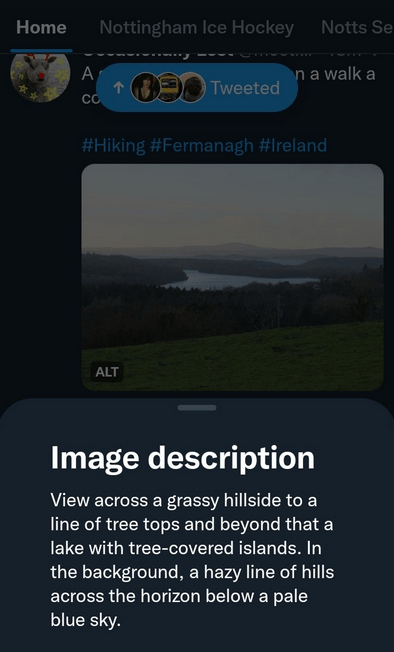
As you can see, it’s just two sentences. If you weren’t able to actually see the image you could easily imagine the scene thanks to the well worded description. And if you, as a learner, wouldn’t know how to describe such an image, alt text such as this will show you how to do it.
Here’s one more example, this time a draft of a post I made on the Mastodon network. You can see the simple ‘edit media’ panel, where you can add your written description, or use the ‘detect text from picture’ option:
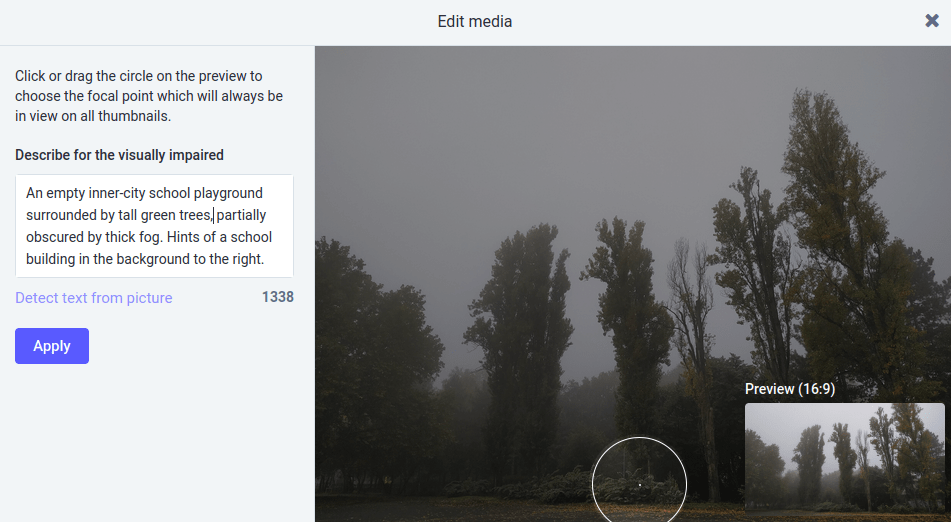
Since social media is inundated with images, it should be very easy for students – and language teachers – to select visual material suitable for the initial writing practice, before they start adding real, actual alt text to their social media posts. Without exaggeration, it can (and should) be literally anything.
Challenge yourself by developing the habit of writing (and reading) alt text. It will probably be a bit difficult in the beginning, but it can serve as very useful language practice that can help you establish a writing routine. Plus, it has the added benefit of being the right thing to do in any online community that relies on visual content.
ADDITIONAL RESOURCES
Below you’ll find specific advice on how to write alt text for the visually impaired:
How to Create Alternative Text for Images for Accessibility and SEO
How to Write Alt Text and Image Descriptions for Blind Users
How to Write Alt Text and Image Descriptions for the visually impaired
What is a screen reader, and why are they important?
Discover more from grammaticus
Subscribe to get the latest posts sent to your email.
 grammaticus